
From a list of ideas to a plan for the day
An itinerary planner that puts each day in order.
The places you want to see are only part of a travel plan. Oreviyo helps you put activities into days, add the time and location, and keep the notes and costs beside the plans they belong to.
- Organize activities by travel day
- Keep times, locations, notes, and costs together
- Connect the daily plan with your whole trip


Available for iPhone and Android.
See how it works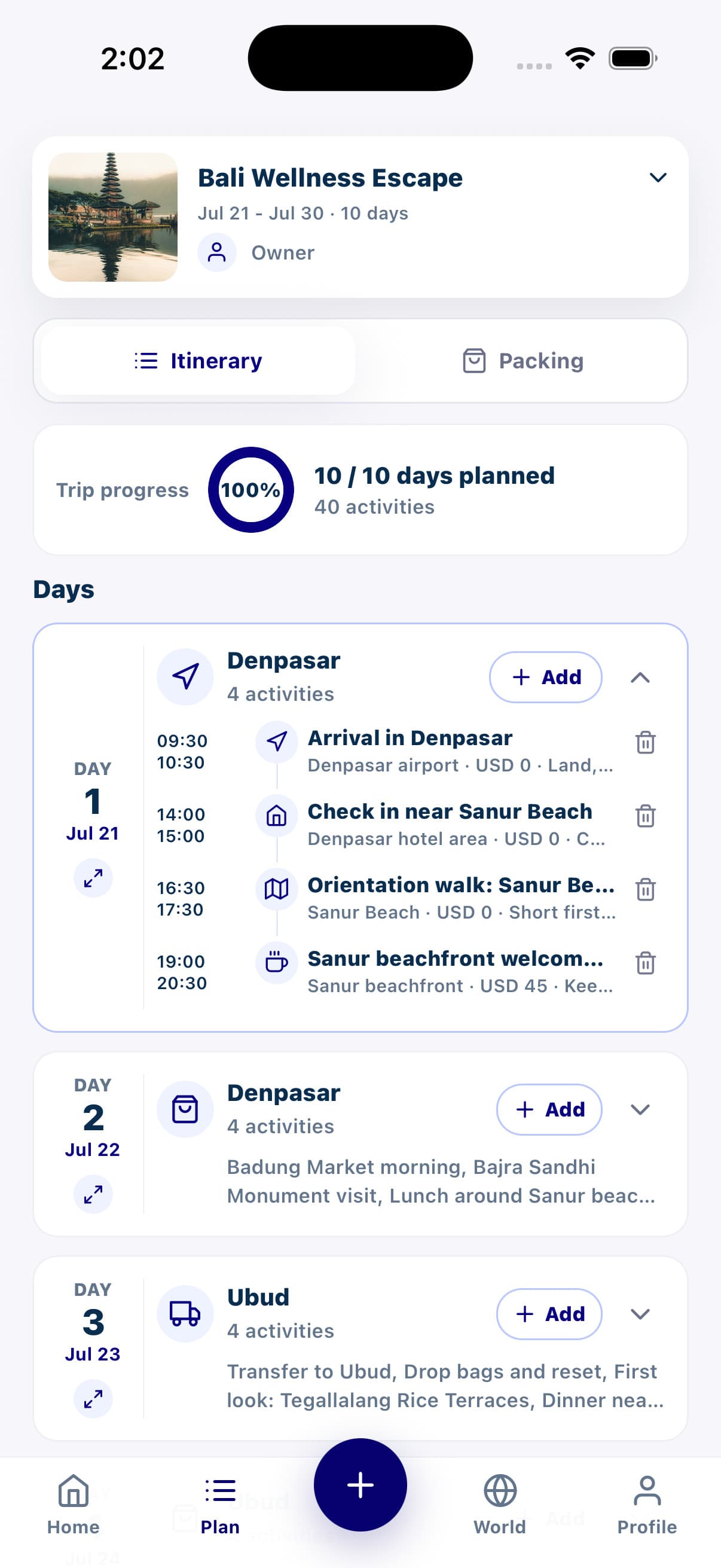
A practical starting point
How to build a daily travel itinerary
Start with the commitments that shape the day, then add the things you want to do around them. A useful itinerary leaves room for getting between places and taking a break.
Set the dates and destinations
Create your trip and add the cities you plan to visit. Use those dates and places as the starting point for deciding what belongs on each day.
Add the activities that matter first
Record arrivals, check-ins, planned meals, and activities with a fixed time. Add locations so you can see where the day takes you before filling the gaps.
Keep the useful details with each activity
Include notes such as a meeting point or what to bring, and record a cost when it helps your planning. This gives each activity more context than a name on a list.
Review the pace of the day
Read the day from start to finish. Check travel time separately, leave space between plans, and adjust activities if the schedule feels too full. Share the trip when others need to follow it.
An example to make it concrete
A first day with room to settle in
This illustrative arrival day shows the level of detail you might add. These are sample times and locations, not a live itinerary or recommended booking schedule.
Arrive and meet the group
Airport arrivals hall
Write down the agreed meeting point. Leave time for bags and onward travel.
Check in and take a break
Your accommodation
Add the address and the check-in details you have confirmed.
Explore the neighborhood
Near your accommodation
Keep the first walk flexible after a travel day.
Meet for dinner
Your chosen restaurant
Record the meeting place, any reservation notes, and an estimated cost if useful.
Confirm opening hours, transport, and reservations with the relevant providers. Oreviyo organizes the details you add; a written plan is not a booking confirmation.
Make the plan readable on the day
Use clear activity names and include the address or meeting point where it is needed. Save the long background research elsewhere if it gets in the way of seeing the next practical step.
Keep a little space between activities
A day with every minute filled can be difficult to follow. Consider meals, rest, and getting between places when you set times, especially on arrival days or when the group is traveling at different speeds.
Before you start
Itinerary planner questions
- What can I add to a travel itinerary in Oreviyo?
- You can organize activities by day and include times, locations, notes, and costs. Use those details for things such as arrivals, check-ins, walks, meals, and other plans you want to keep together.
- Can I plan a trip that visits several cities?
- Yes. Oreviyo lets you organize the cities and route for a trip, alongside its daily itinerary. Keep travel days in mind when deciding which activities belong in each place.
- Can other travelers see the itinerary?
- Yes. Invite people to a shared trip and choose view or edit access. The itinerary can then be part of the plan you organize with your travel companions.
- Does adding a reservation to the itinerary make a booking?
- No. An itinerary entry records the details you add. Arrange and confirm reservations with the provider, then keep the useful times, locations, and notes in your trip.
Keep planning your trip
Share the daily plan with your group
Give friends and family a shared place to view or help edit the trip.
Pack for the activities you have planned
Keep personal essentials and shared items organized by category.
Prepare together before you leave
Work through a group packing checklist alongside your travel plans.

Ready for your next chapter
Make the next travel day easier to follow.
Download Oreviyo and turn your trip ideas into a daily itinerary with the details close at hand.
Your plans, with you. On iPhone and Android.